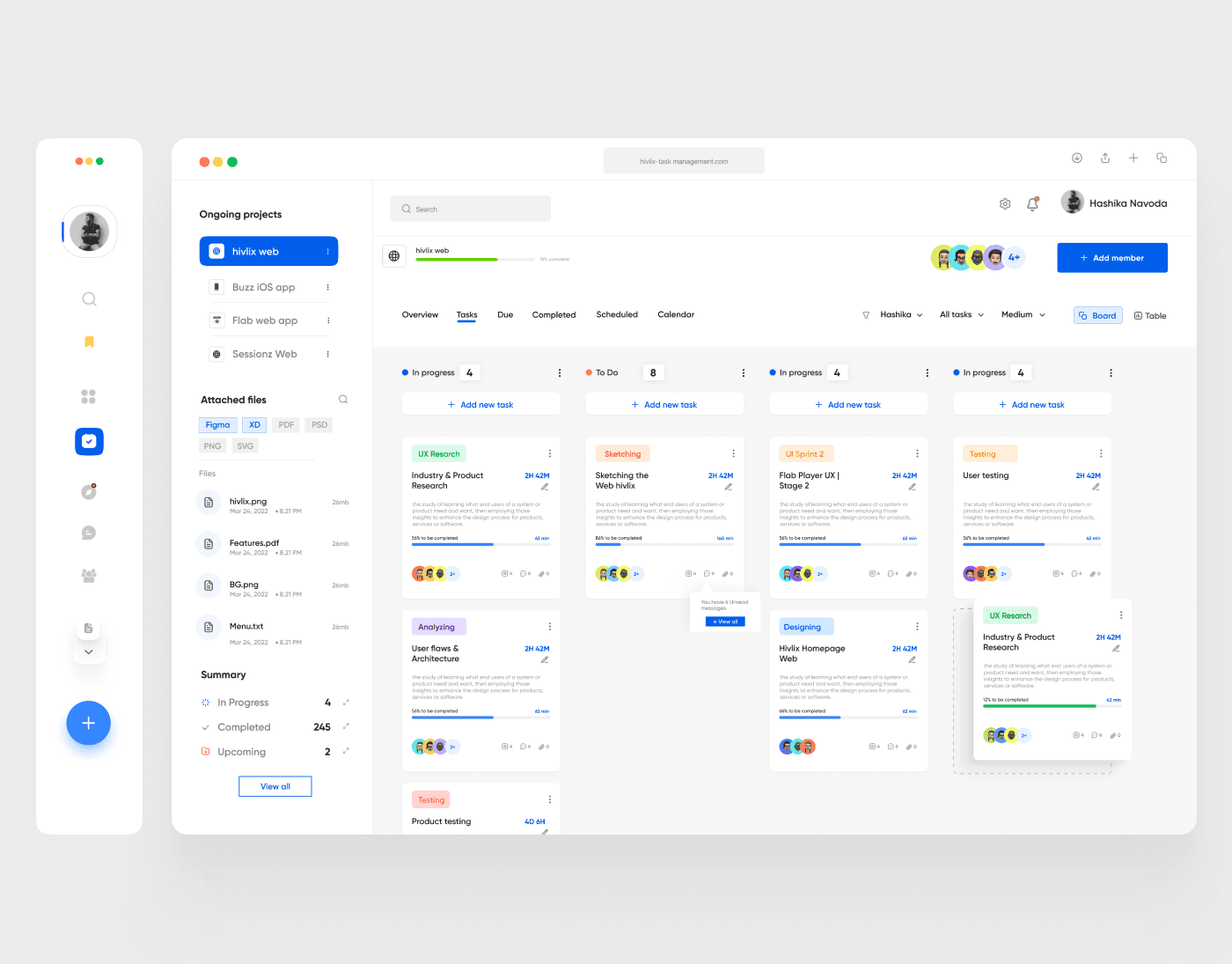
This project involved designing and developing a task management web application aimed at simplifying and streamlining workflows for teams and individuals. Drawing inspiration from tools like Jira, the app enhances task creation, assignment, and tracking while prioritizing a modern, user-friendly interface that caters to both beginners and seasoned professionals.
The app is crafted to empower users with intuitive controls, customizable views, and robust features for collaboration, ensuring productivity and efficiency at every step of the task management journey.
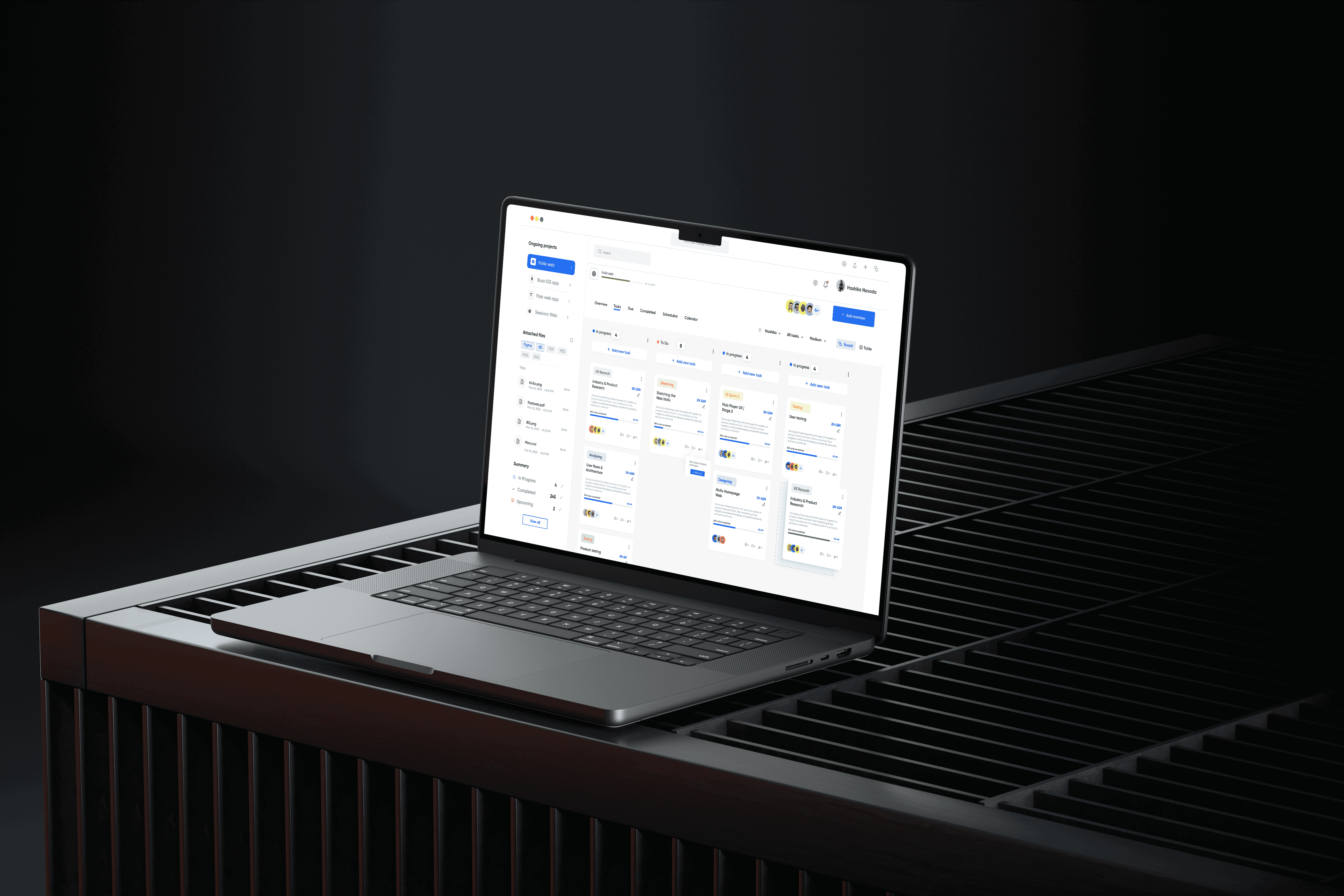
The concept behind this app was to create a next-gen task management tool that balances functionality and simplicity. It addresses common pain points in task management, such as overly complex interfaces, lack of collaboration features, and difficulty tracking task progress.
With a focus on a clean, modern UI and seamless user experience, this app redefines how teams and individuals organize their work.
Key Features
1. Task Creation and Assignment
Quick Task Creation: Effortlessly create tasks with minimal input fields for a faster setup process.
Assignee Selection: Assign tasks to individuals or groups with a dropdown or drag-and-drop feature.
Priority Tags: Assign priority levels (low, medium, high) for better task categorization.
Due Dates and Reminders: Set deadlines and receive automated reminders.
2. Customizable Task Views
Kanban Boards: Visualize tasks in columns (e.g., To-Do, In Progress, Done) for intuitive tracking.
List View: Display tasks in a detailed list format for easier navigation.
Calendar Integration: Sync tasks with calendars to track deadlines and milestones visually.
3. Collaboration Tools
Comment Threads: Add comments and updates within tasks to keep communication organized.
File Attachments: Upload and share files directly within tasks.
Mentions: Tag team members to notify them of important updates or questions.
Team Notifications: Real-time alerts for task assignments, changes, or completed tasks.
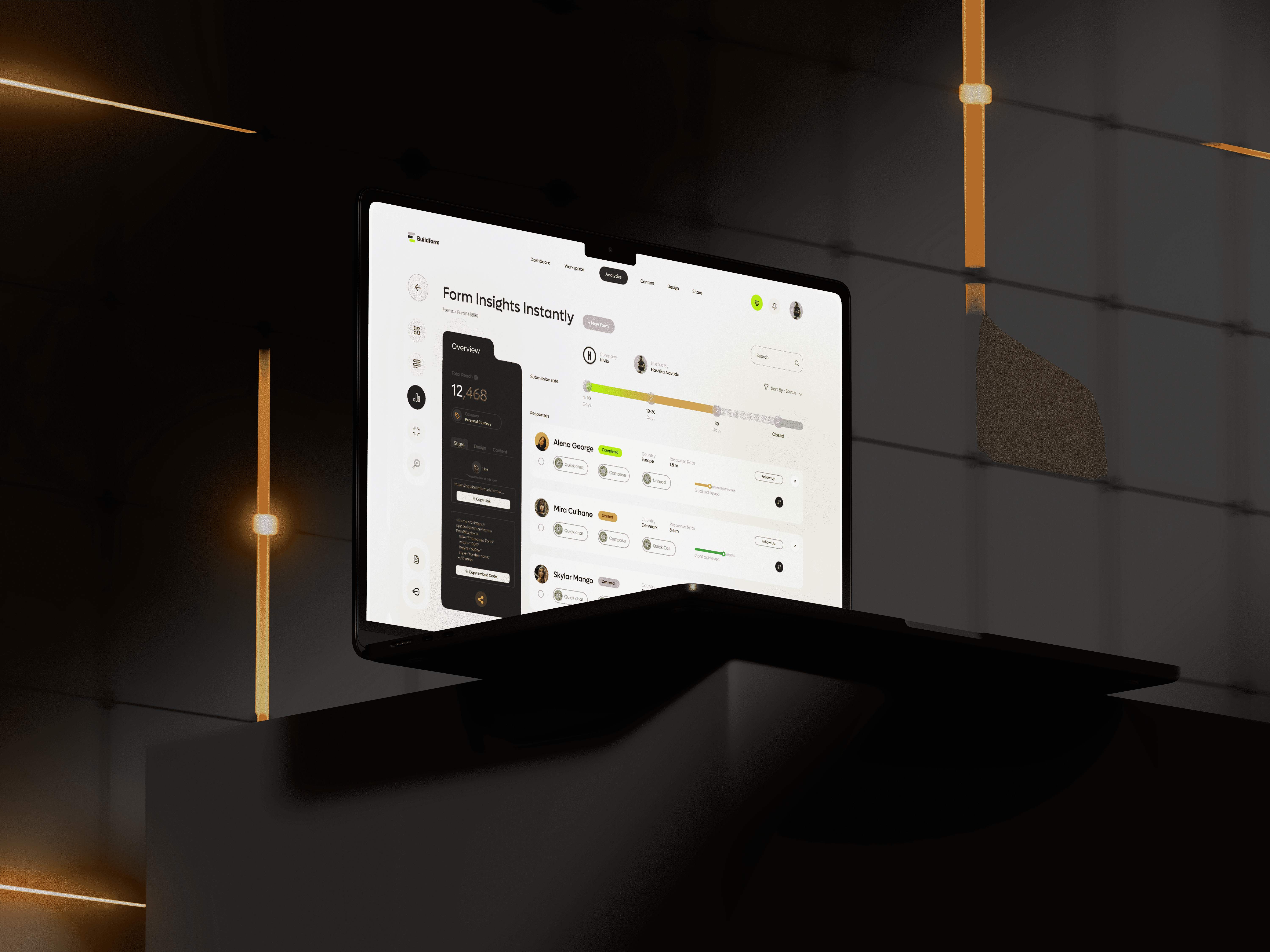
4. Advanced Analytics and Reporting
Progress Overview: Visualize team performance with progress bars and percentage completion.
Task Frequency: Track the number of tasks created, assigned, and completed over time.
User Activity Insights: Identify top performers and areas needing support.
Export Reports: Download task summaries and analytics in PDF or CSV formats.
5. Modern User Interface
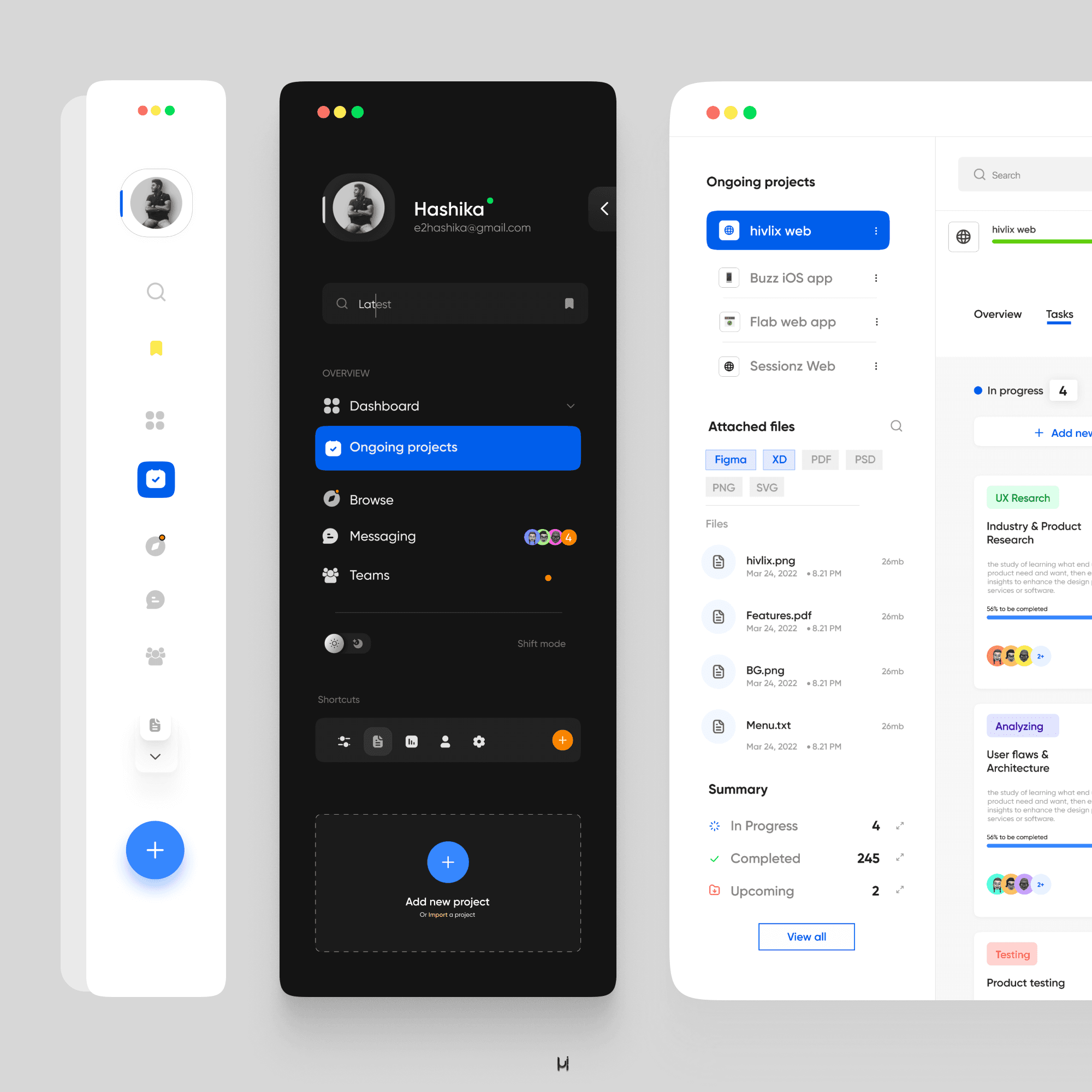
Intuitive Navigation: Simplified menus and navigation paths for ease of use.
Dark Mode: Provides an aesthetically pleasing alternative for low-light environments.
Drag-and-Drop Functionality: Rearrange tasks and columns effortlessly.
Dynamic Filtering: Search and filter tasks by assignee, status, or priority in real time.
6. Integration Capabilities
Third-Party Tools: Integrates with popular tools like Slack, Google Calendar, and Microsoft Teams.
API Access: Allows businesses to connect the app with their internal systems.
Cloud Storage Sync: Save files directly to cloud platforms like Google Drive or Dropbox.
7. Accessibility and Scalability
Responsive Design: Optimized for desktop, tablet, and mobile use.
Role-Based Access: Assign permissions based on user roles (admin, manager, contributor).
Scalable for Teams of All Sizes: Designed to grow with businesses, from startups to large enterprises.